
Viewing Your Plan and Features
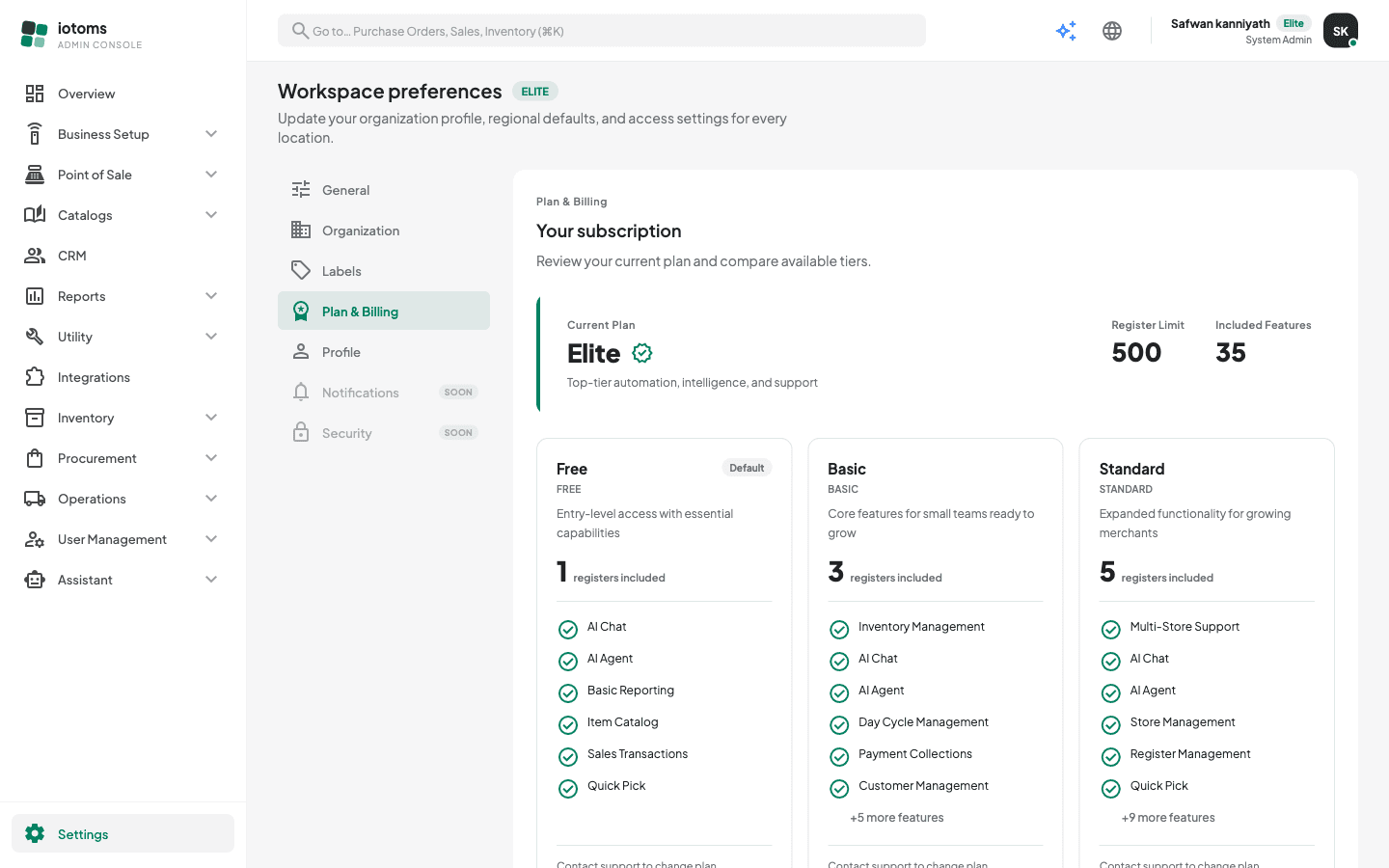
Plan & Billing shows which subscription plan your workspace is on, what it includes, and how it compares to the other available tiers. This screen is read-only — there is no self-serve upgrade; contact support to change plan.
Reading the screen
- Open Settings → Plan & Billing — the Settings entry is pinned at the bottom of the sidebar.
- The Current Plan card at the top shows:
- Your plan's name, with a short description
- Register Limit — how many POS/van registers your plan allows
- Included Features — how many features your plan grants
- Below it, one card per available plan tier lets you compare:
- The plan name and code, and how many registers are included
- The first few included features, with a "+N more features" line when the list is longer
- A Current plan badge on the tier you're on (your tier also shows as a badge next to the Settings page title)
- To move to a different tier, contact support — plan changes can't be made from the console.
Your plan determines which features are available to your workspace at all; within that, your administrator controls who sees what via roles and permissions.