
Managing Units of Measure
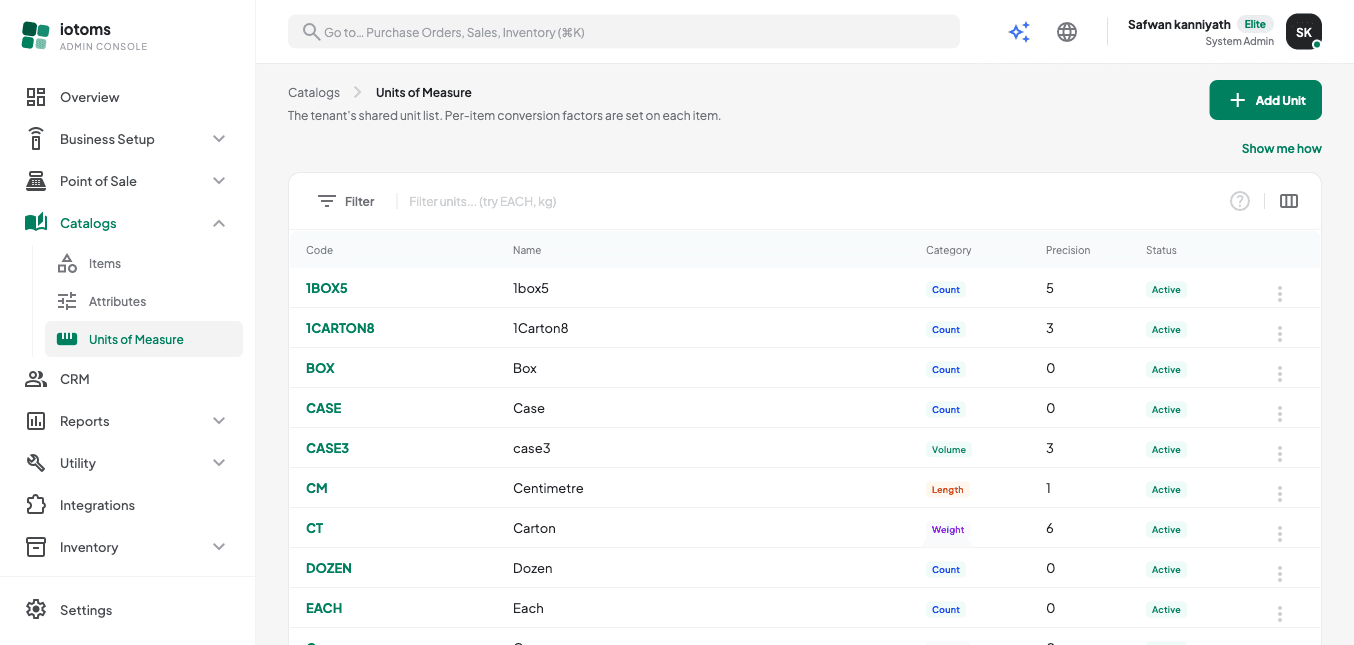
- Open Items → Units of Measure from the sidebar. This is the tenant-wide list of units available to every item (per-item conversion factors are set on each item individually, as described in Managing an Item's Units).
- Click Add Unit to create one:
- Code (required, e.g.
CASE) — cannot be changed after creation - Name (required, e.g. "Case")
- Category — Count, Weight, Volume, or Length (a soft guide only; per-item conversions can cross categories)
- Decimal precision — how many decimal places quantities in this unit round to (e.g. EACH = 0, KG = 3). A live preview shows how a sample number would display at that precision.
- Status — Active or Inactive
- Code (required, e.g.
- Use the filter drawer to filter the list by Category or Status, and the search box to filter by code or name.
- To edit a unit, click its code or use the row's ⋮ menu → Edit. The Code cannot be changed once created.
- To delete a unit, use ⋮ → Delete. If the unit is already in use by an item or an order, deletion is blocked — deactivate it (set Status to Inactive) instead.
Continue to FAQ and Tips.