
Finding, Editing, or Viewing a Venue
Once you have venues created, use the Venues list to search for one, view its details, or edit it.
Steps
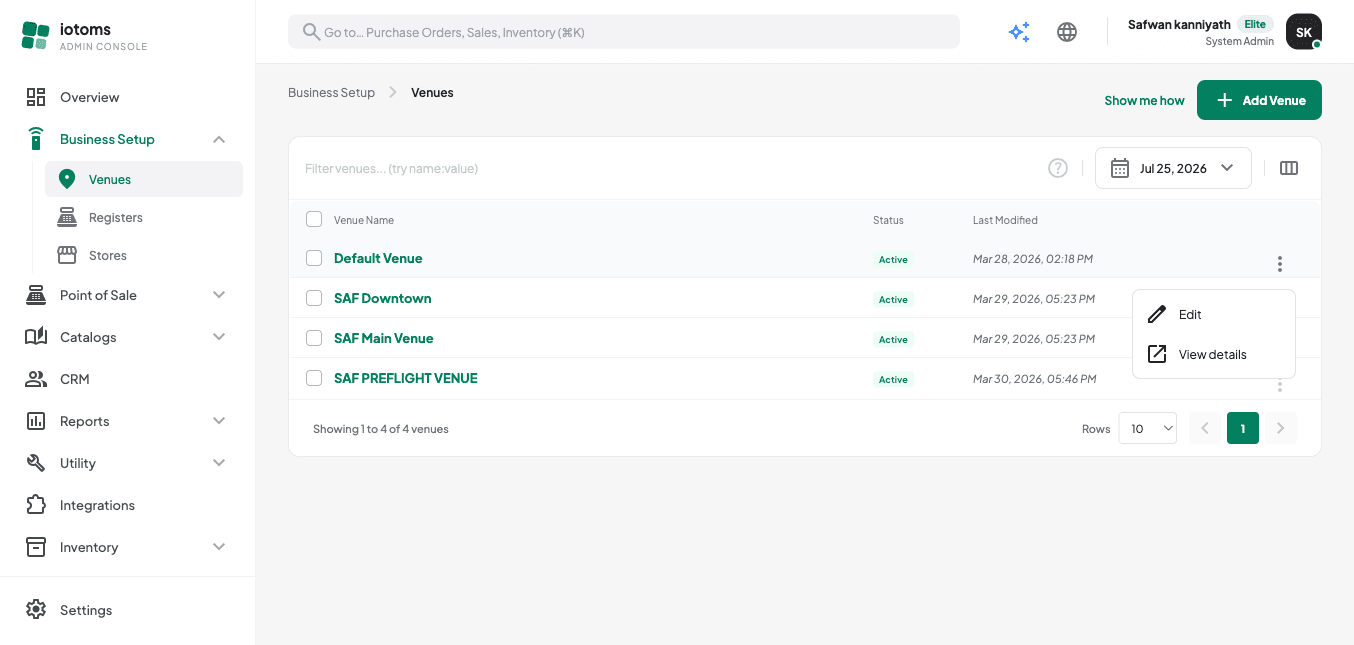
- On the Venues list, use the search box (placeholder: "Filter venues... (try name:value)") to search by name, or type a
name:valuepair. - Use the page-size control at the bottom to show 10, 25, 50, or 100 venues per page, and the pager to move between pages.
- Click a venue's name, or open its row's ⋮ menu and choose View details, to open the venue.
- Use the row's ⋮ menu → Edit to jump straight to the edit form.
- Make your changes and use the amber unsaved-changes bar to Save or Discard.
Note on deleting a venue
There's no delete action for venues from this list — deactivate a venue (set Status to Inactive or Archived) instead of trying to remove it.