
Checking the Sale Summary
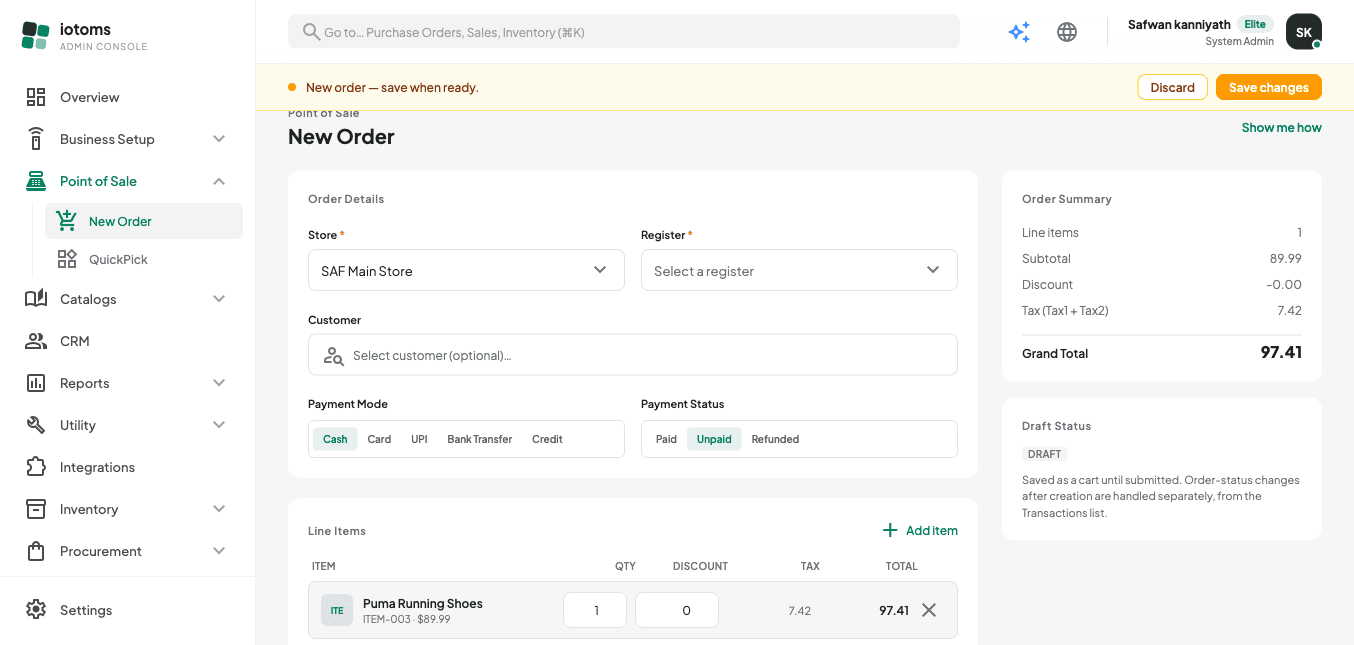
- Look at the Order Summary panel on the right — it keeps a running
total as you build the order, showing:
- Line items (count)
- Subtotal
- Discount
- Tax (Tax1 + Tax2 combined)
- Grand Total
- Below it, check the Draft Status card. It reminds you the order is only a draft (saved as a cart) until you save it, and that changing an order's status afterward is handled separately from Sales History (not from this screen).
Next: Saving the Order.